Showing posts with label chrome extention. Show all posts

Wednesday, August 22, 2012

How To Disable Message Read Status In Facebook Messages

Facebook has recently added a new feature which enables a sender of to know that the message has been read by the recipient.Gone are the days when you can simply ignore the Facebook message even after reading it because of the Facebook's new feature that lets the sender to know that message has been read by the recipient - A "Seen" receipt is generated once the message is read .

How To Disable Message Read Status In Facebook Messages

This feature is hated all around the web - I guess none of us liked it. So why not get rid off it as there are numerous occasions where you won't want someone to know if you’ve read their message or not. Chat Undetected lets you disable Facebook Messenger’s read receipt feature, preventing others from seeing if you have viewed a message or not.
How To Disable Message Read Status In Facebook Messages
Chat Undetected Lets You Pretend You Haven’t Read Your Facebook Messages.

Install Chat Undetected


You May Also Like : 
* All Time Best Kickass Facebook Tricks And Tips You Never Knew

Sunday, July 15, 2012

How To Do Calculations Quickly With Chrome

If you usually need calculators instantly while working on the computer or pencil or paper to record the calculations then now you don't have to worry about these things in future.Now access the Calculator with a spreadsheet with just a one click.A chrome extension SPREADSHEET CALCULATOR  helps you to save your time in doing calculations and also your efforts to write them on a paper.

How To Do Calculations Quickly With Chrome

 This is a free extension which will allow you to do calculations and then print the whole forms for the later use.You can also add texts in each calculations for describing it to others.It also provide many other features like editing the calculations and etc.Now access the calculator quickly and easily with just one click.

Friday, July 13, 2012

Best Killer Chrome Extensions To Enhance Your Facebook Experience

Facebook is the most popular social networking network in the present world of net.Facebook is a huge addictions for many.Facebook has many amazing features such as games , puzzles, quizzes and much more.You can easily enhance your facebook experience from good to better and better to best.With the help of some amazing Chrome extensions to surf Facebook in a much better way.These Chrome extensions for Facebook provide you numerous features that are not available in facebook and moreover can help you in saving your valuable time.I have selected the best chrome extensions for facebook users. I hope you like these Chrome extensions for Facebook.

Best Chrome Extensions To Enhance Facebook Experience :


1.Chrome Extension For Facebook Like Button :
Best Killer Chrome Extensions To Enhance Your Facebook Experience
This chrome extension is real useful for geeks .Like button is installed in the chrome browser itself  as shown in the screenshot above and you can like any page while surfing .


2.Chrome Extention For FB Photo Zoom :
Best Killer Chrome Extensions To Enhance Your Facebook Experience

Photos is one of the amazing features of facebook which one explores regularly . FB Photo Zoom is a simple, light-weight extension that integrates directly into FB so that you can see the larger images of photo albums, profile photos when you hover over a zoomable image.


3. Chrome Extension Social Plus For Facebook :

Best Killer Chrome Extensions To Enhance Your Facebook Experience
Image Source
This chrome extension enables you to customize your facebook page with Skin, don't like button,VideoChat, emoticons, color, nudge, photo preview etc.


4. Chrome Extension For Facebook Color Change :
Best Killer Chrome Extensions To Enhance Your Facebook Experience

If you are using Chrome Browser then this trick is for you.There is a Chrome Extension " Facebook Colour Changer"  in which you can change the color of your Facebook profile.This is a good way to impress the visitors of your Facebook profile.

5. Chrome Extension For Facebook Chat Smiley : 
Best Killer Chrome Extensions To Enhance Your Facebook Experience


Facebook chat is the most widely used facebook feature , one can express his view by using smiley in facebook chat but facebook chat do not support all smiley , Facebook Chat Smiley extension enable you to use Facebook Emoticons Smileys on Chat.


6. Facebook Ads Blocker Chrome Extension  : 


Ads can be sometime annoying as one wrong click can lead you to some anonymous page , if you don’t like Ads on Facebook and your answer is yes then facebook ads blocker is meant only for you.This extension not only helps to block all ads on facebook page but also help in loading of a page faster .


7. Facebook Disconnect Chrome Extension : 
Best Killer Chrome Extensions To Enhance Your Facebook Experience
Facebook disconnect stops Facebook from tracking the web page you browse. Privacy is a major concern for millions around the web.This chrome extension stops Facebook and your friends won’t know the pages you browse.


8.Chrome Extension For Facebook Notifications :

Best Killer Chrome Extensions To Enhance Your Facebook Experience
Image Source
Notification is the huge area of interest for any facebook users what if you get the updates of notifications even if you are not on main facebook page .This extension connects to your Facebook account to show you what's happening with your friends including  Likes , comments on your posts , Invitations to events , Posts in your groups , Friend requests , New messages , Other notifications you normally see when you're on Facebook.

 9. Time spend on Facebook Chrome Extension :

This extension tracks the time you spent on Facebook per day. The timer is reset at the end of the day.This extension can be used by students for managing their time .


10.Facebook Fast Delete Message :
 

We have already discussed this chrome extension here .

Try out these amazing facebook extensions for chrome and enhance your facebook experience . Mind you these extensions are really useful one's .If you know more useful extension for facebook do post it as a comment .

You May Also Like :
* Make Your YouTube Experience Awesome On Google Chrome .
* How To Pause YouTube Videos To Watch Later In Chrome .
* 10+ Best Google Chrome Apps to get you organized .
* 5 Ways To Create Kickass Facebook Timeline Covers Your Own Way

Tuesday, July 3, 2012

Customize Your Google Navigation Bar Your Own Way

Do you think the Google Chrome navigation bar is adaptable enough as per 'your' needs .Quite often, you may not utilize some of the services that are associated with the navigation bar; or the ones that you use are swept off into a drop-down menu.With a Chrome extension  “Big G Black Bar Sorter”, you can arrange the products the way you like, keeping the services of your need just one click away. The installation process of this chrome extention is as easy as any other extention .
Follow These Steps To able to customize Your Google Navigation Bar Your Own Way :


1 . Just download the  Big G Black Bar Sorter for Chrome webstore.

2. Drag and drop the items that are not required from the bar to any another area on the page.

3 .You can also click and drag items from dropdown menu to main navigation . 

This Extention is usefull to those who use google navigation more , and the google users who use the more option provided in the main navigation bar . Its a perfect utility for them as they can rearrange the tabs in "more" dropdown directly in the main menu .So use this Google trick to manage your Google navigation Bar .

Download Big G Black Bar Sorter for Chrome

Friday, June 29, 2012

How To Schedule Email's In Gmail : With Send Later Option

Gmail The world's Most Popular email service provider . Gmail provides various features like changing the look of gmail , 2 step verification for security , Gmail also provide attractive themes , options to undo a sent email  in gmail .What if you have to send a birthday car to a friend on his birthday and you you are not able to send as you will not be available at that time for some reasons . Gmail doesn't provide the feature fo scheduling emails .There is a solution for this problem ans is a very easy one.

How To Schedule Email's In Gmail : With Send Later Option


How To Schedule Mails In Gmail :


Sending mail later in gmail can be done by installing a RightInbox extension on your Google Chrome Or Mozilla Firefox browser .
All you have to is go to The Site RightInbox  and click on Install now as shown in the below screenshot .
How To Schedule Email's In Gmail : With Send Later Option

How To Schedule Email's In Gmail : With Send Later Option
Once you have installed and verified your gmail you can use the feature of send later in gmail . The send later tab will be shown just next to send now and is clearly visible .For firefox you might need to restart your browser .
So now you can schedule or gmail emails with an option to send later in google chrome , firefox and safari  . The send later contains option to send email in 1 hours , 2 hours , 3hours , tomorrow or at specified time.
The installation is quick and easy and once you are done with the installation the use of send later feature in gmail is also very easy .

Wednesday, June 20, 2012

Enhance Your Photo Viewing Experience On Facebook

Mostly people uses Facebook either for chatting or for sharing pictures.Now to enhance your photo viewing experience we are introducing you with a Google chrome extension  " FB PHOTO ZOOM ".After installing this chrome extension whenever you will hover over any image in the album you will be able to see the larger view of the image.

Enhance Your Photo Viewing Experience On Facebook


You can toggle the Zooming feature by pressing  CTRL+SHIFT+Z
This extension will not use your profile history or profile data so this means you don't have to worry about the security reasons.

Monday, June 4, 2012

Make Your YouTube Experience Awesome On Google Chrome

YouTube the biggest video repository On the web .Millions of user visit to access youtube for watching videos online .Youtube provides various option to its users such as setting the video quality and much more.You can download you tube videos easily but watching youtube videos online is much more fun as you have always have the alternative to switch to other interesting videos quickly. If you spend more then few minutes everyday on YouTube then here are some of the Google chrome extensions to make your experience awesome on YouTube website.


BEST GOOGLE CHROME EXTENSIONS FOR YOUTUBE :

1.  Pip For Youtube 
PIP is picture in picture chrome extension for YouTube.Suppose you are working on some document or file and you want to see YouTube video simultaneously  then by the help of this chrome extension you can easily watch any video on YouTube while working on other tabs or documents.


2.  Youtube Thumbs 
YouTube thumbs is very useful chrome extension when you move the mouse over the video it enables us to watch the 3 thumbnails of the video as sometimes we can judge the video by seeing the thumbnails that what is in the video this makes it a good useful extension.


3.  Toggle Comments
while watching videos on YouTube the comments posted on videos seems annoying and disturbing but by the help of this extension the comments of all the videos can be removed from the YouTube videos.If you want to see the comments on the videos they can be watched by simply clicking on comments option.


4.  Looper
Sometimes when you  watched a video on a YouTube and if you want to play the video again and again then the looper will help you to provide the special button below the every video by which you can play the video again and again.


5.  Turn Off The Lights
If you want to watch the video more carefully or you want the cinematic like environment then this chrome extension will provide you the bulb on the screen by pressing which the whole other things expect video on the screen will be faded to dark.This will provide the distraction free screen while watching the video.


6.  Youtube Ratings
Bad rating videos are annoying and a waste of time no one like to watch the videos with low ratings but the problem is you only came to know about the ratings after opening the video but now this problem is solved by this chrome extension by which you will be able to watch the ratings of the videos on the front screen with the thumbnails of the videos.


7.  Youtube Feed
If you are subscribed for the multiple channels on the YouTube and you want to be notified as soon as possible when the new videos are available in your subscriptions then this extension is best for you.This extension will provide you the special button on the screen to notify you about the subscribed channels.


8.  Lyrics For Youtube
If you usually watch music videos on YouTube then by the help of this chrome extension you can also see the lyrics of the every song on YouTube just in the side of the YouTube video.


9.  Skip Ads On Youtube
It is sometimes annoying when you have to wait for the YouTube add to finish before you can watch the video but now there is chrome extension by which you can skip the YouTube ads quickly by a single click.


10.  Magic Actions
Magic Actions is a popular extension for YouTube which provides you a multiple facilities in a single chrome extension for example auto hd mode, mouse wheel volume control, repeat option, light on off option, auto wide and more.


There are many you Tube Extentions available in the chrome store but we have listed the best extention which can help in enhancing your youtube expereince from good to awesome .If you know have any suggestion related to this post don't forget to post it as a comment .

Saturday, May 19, 2012

How To Delete Facebook Messages Just By One Click

Everyone loves Facebook,and in recent times Facebook has developed very much and has been provided a better experience day by day.Now even Google Chrome is helping Facebook to  give their users a better experience by developing chrome extensions.Now Google chrome  provided a extension "FACEBOOK FAST DELETE MESSAGES" by which you can delete all your Facebook messages just by one click.


INSTALL "FACEBOOK FAST DELETE MESSAGES" HERE

After installing this Google Chrome extension log in again into your account
Now you will see the delete message option in the Facebook messages by clicking which you can delete the whole messages of the particular person by just one click.


How To Delete Facebook Messages Just By One Click


This is a easy and the quick way to delete Facebook messages
Like our Facebook fan page  HERE for latest tech updates and news !!

Saturday, May 12, 2012

How To Learn Different Languages With The Help Of Chrome Extension

Now Google makes it easy to learn the foreign languages With the help of a new Google chrome  extension "LANGUAGE IMMERSION FOR CHROME".If you are unfamiliar with any foreign  language and you want to learn it then this extension can help you to learn any foreign  language easily.There are some options given in this extension which can help you to learn in your preferred way.

How To Learn Different Languages With The Help Of Google Chrome
You can apply immersion level of the language("novice","intermediate","fluent") by  this certain the no. of web pages you will browse will show the certain words and phrases  in the other language which you want to learn. This will look little confusing at first but you will get familiar to this technique as you will use it again and again and this will help you to improve your grab on the language day by day.It supports 64 languages from which you can select any one.You can also hear the audio translation of the words when you roll over the mouse on the words.

This Extension will greatly help those who are learning foreign language then this extension can really help them to  practice when you are reading blogs or surfing on the web.


YOU CAN DOWNLOAD "LANGUAGE IMMERSION FOR CHROME" HERE FOR FREE


Thursday, May 10, 2012

How To Hide Offline Contacts From Facebook Chat Bar

Everyone loves to chat with their friends on Facebook.Now sometimes the problem arises when you have too much friends in your Facebook friend list and the chat bar shows both the online and offline contacts.This generally does not bother those who have limited friends in their  friend list.But for those who wants to see only the online contacts in the chat bar now can see easily by installing a simple google chrome extensions.

How To Hide Offline Contacts From Facebook Chat Bar


FACEBOOK CHAT SHOW ONLY ONLINE
Very popular chrome extension with good reviews in which you can hide offline contacts from the chat bar.This extension will not effect ticker and other functions of the Facebook.

INSTALL FACEBOOK CHAT SHOW ONLY ONLINE HERE FOR FREE


FACEBOOK CHAT FIX
Facebook chat fix chrome extension  helps you to see only the online contacts in the chat-bar.You only have to install it in your browser.This extension is easy to install and will not ask you to like their fan page etc and will not access your personal profile information.So this is a simple chrome extension which will let you to use the old Facebook chatting style where you will see only the online friends in the chat bar.

INSTALL FACEBOOK CHAT FIX FOR FREE HERE !!

Monday, March 19, 2012

Schedule And Queue Messages In Facebook And Twitter

The GrabInbox Extention for Chrome let's you easily share any page that you browse across all your social networks. You can also schedule posts for a later date.  GrabInbox plugin for Chrome Shows a notification When you have a reply , direct messages etc .

Schedule And Queue Messages In Facebook And Twitter

The main advantage of this Google chrome extension is that it enables users to schedule messages on twitter and Facebook quickly and  post updates across all social networks at once.GrainBox Extention for chrome have a scheduling options which  lets you schedule messages for a later date and time.Also you can queue and share links of any web page you are browsing  and schedule posts for a later time and date.

Schedule And Queue Messages In Facebook And Twitter
Image Source : GrabInbox

After The Installation of the extension, a button is added In the google chrome toolbar which also enables you to post links on multiple sites easily and quickly . You can also add Facebook Fan pages to this extention along with your facebook and twitter profiles .

Install GrabInbox For Google Chrome

Friday, March 16, 2012

How To Hide Facebook Timeline In Chrome

The TimelineRemove extension is a simple Chrome extension that lets you hide the facebook timeline view .Its very usefull for those who are still not used to the timeline view and feel confused by the facebook timeline interface . Some says Timeline view in not user friendly and need a option to disable it  . You can use chrome and  return  to the old facebook look by deactivating facebook timeline view .

 How To Hide Facebook Timeline In Chrome


This extension disables only the display of the new facebook timeline. This does not mean that your friends will not see your timeline. You can disable the new profile for all and go back.

TimelineRemove is easy to install  and you are two-click away to disabling Facebook's Timeline view. Just after installing timeline remove  extension, you'll see a button added to Chrome's toolbar. Click it, then switch between enabling and disabling the Timeline view with the "Status: TimeLine Remove" link in the small window just below the button. Disable your facebook timeline view now easily by using this chrome extension easily .


INSTALL TIMELINE REMOVE


If this extention Doesn't work you can go to this website and install the Timeline remove for any browser .
Official Website For Install Timeline remove

Friday, March 9, 2012

How To Pause Youtube Videos To Watch Later In Chrome

Sometimes we have to skip the video because we have some urgent meeting or may be any other reason and our session gets interrupted . Something like this can be very agitating as we can also forget where we left off. Pause For Later is an amazing Chrome extension that will help you in  saving your spot, letting you close your YouTube window or tab and pick up later at the exact spot where you left off. isn't it sounds amazing ? It saves the video and your spot to the Pause For Later Website, where you can go and resume your viewing when your schedule allows.
How To Pause Youtube Videos To Watch Later In Chrome

How To Install Pause for later On Your Browser :


1. Go to  " Pause For Later " .


2. Click on Add To My Browser .
How To Pause Youtube Videos To Watch Later In Chrome

3. Click On Install Now

How To Pause Youtube Videos To Watch Later In Chrome

4.Now You Have To Simply Add this extention by clicking On Add To Chrome .

How To Pause Youtube Videos To Watch Later In Chrome


5. Now click on install and you are done . A pause button is installed in your browser just like in the screenshot below .
How To Pause Youtube Videos To Watch Later In Chrome


After installing Pause For Later you will see a pause button in Chrome's toolbar. Its use is very simple while watching a YouTube clip and you need to pause the video what you have to do is click on the pause button on chrome toolbar instead of hitting pause on the YouTube player itself. You will then be taken to your list of paused videos on the the Pause For Later Website. For your first pause use you have to create a free account .For each video on your Pause For Later list, there is an Action button where you can resume watching (Watch Now) or watch from the beginning. You can also try this extension for other video streaming sites as well .

Sunday, February 26, 2012

Skip YouTube Video Ads Quickly Without Waiting

YouTube The most familiar site on internet , millions of users visit Youtube and watch desired videos, But now a days Ads are displayed just before the video start streaming , Which not only waste the valuable time of user and also annoys the user as it is a kind of blockage between the video and the user ..The solution to this problem is to use Google chrome Extention  "Skip ads on YouTube - No illegal block" by which you can skip YouTube ads in videos with ease .A new button on YouTube which skips the current ad and start the main video. It will always work.

How to Skip YouTube Video Ads Quickly Without Waiting

How To Skip YouTube Video Ads Quickly Without Waiting ?

As you can see a button will be displayed on every video on which ads starts . you can easily skip the youtube ads by just clicking on the button and start watching your video .

Installing these chrome extentions are far more easy then installing any software to skip the ads . These extentions are also easy to manage with the help of Go To  option in your google chrome browser  which lets you enable and disable any chrome extention

Install SKIP ADS ON YouTube EXTENTION

Friday, November 4, 2011

10+ Best Google Chrome Apps to get you organized

Guys do you wanna increase your productivity both online and offline? Here is google chrome app store bringing some more brilliant applications every day to help us get more organised.I can assure you one thing these apps will surely help you in getting organised .  Have a quick look at these following apps and make your life easy:

1.Todo.ly Todo.ly lets you divide your tasks into sub tasks and gives you an option to prioritise your tasks which increases your productivity. This app comes with filters to set your priority work to be done.

2.Google Calendar:: Organizing your schedule shouldn't be a burden. With Google Calendar, it's easy to keep track of life's important events all in one place.


 3.Quick Note Quick note helps you to make a quick note of anything which will remind you doing day to day things. Make a quick note of to-do-lists and access your notes from anywhere on the go using Cloud sync.


4.Evernote Web : Evernote is an award-winning service that turns every computer and phone you use into an extension of your brain. Use Evernote to save your ideas, experiences and inspirations, then easily access them all at any time from anywhere.


  5.Read Later Fast Sometimes you open many tabs while browsing and it becomes hard for you to decide which ones to go through first. This app helps you save web pages for reading later even when you are offline. You have to simply click on 'click and save'.


6.Diet Diary:MedHelp Diet Diary calorie counter is the ideal weight loss app to help you shed those unwanted pounds for good! Track your food, exercise, weight, water consumption and more to see at any given time whether you are on track to lose weight, gain weight or stay the same, so that you can make the right choices to reach your goal.


7.MomoNote : MemoNote app helps you to import all your happenings of life from outlook and desktop. It lets you search through timeline of your life happenings.


  8.Springpad Springpad lets you organise your tasks and act on anything you want to get done in one place. It can be accessed from the web or your phone. Sync provide instant access all the time.


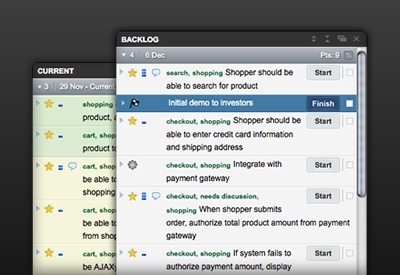
9.Pivotal Tracker This app provides an excellent way for project managers to review the progress on a current project with utmost ease and allows the team to collaborate and react to each other’s feedback easily and quickly. In short, it lets you focus on the task ahead rather than wasting time on reporting to and from.Install Pivotal Tracker.


10.World Clock Trying to figure out the right time for an overseas meeting? This app is just for you. With time zone information from more than 650 cities around the globe, you can easily find a convenient time for your conference call or meeting. You can use it online or offline which is always a plus.


11.NewsBlur :News Blur, simply put is an intelligent, advanced form of Google Reader that has some really cool features such as highlighting or hiding stories based on tags, keywords and authors. It also has original site-view .


Note : These chrome apps will surely enhance your living . Try Them !


If you have any suggetion about this article on anything you want to share with us. Don't forget to post a comment . We will love to have your comments .